


Zeus
4.611.42K Reviews
App Specs
- Version
- 9.002.3
- Updated On
- License
- Free
- Downloads
- 1,000,000+
- Developer
- The Zeus Network
- Categories
- Entertainment
- Platform
- Android, iOS
Screenshots
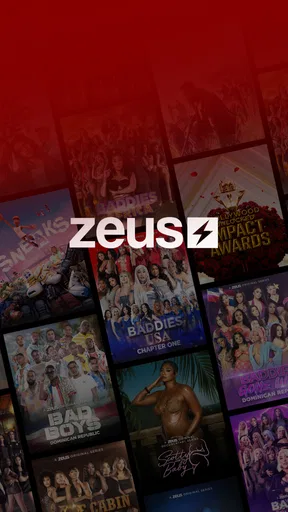




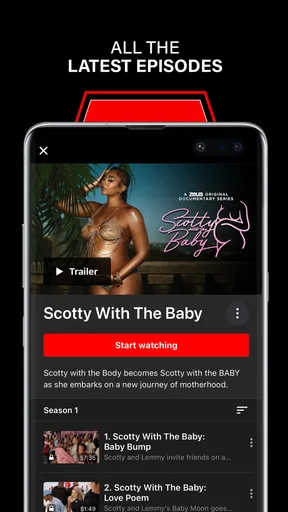

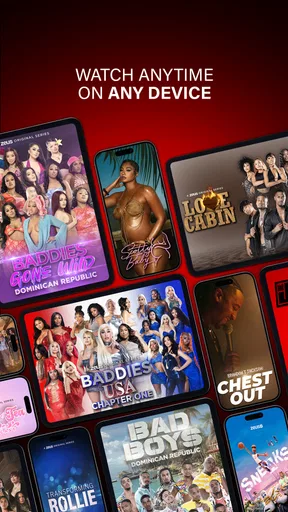
 Analysis by AppCompare
When I’m choosing an entertainment app, I want to know what it actually offers, how it fits into my routine, and whether paying for it makes sense. Zeus is a video-on-demand service from The Zeus Network, so it’s best considered as a destination for people who want to watch the network’s entertainment rather than as a general-purpose streaming library. That distinction matters: if I’m looking for one place to browse a broad mix of services and viewing styles, this may not be the right starting point.
Start with the kind of viewing you want
I’d decide whether to try Zeus by asking a simple question: am I interested in what this particular network puts out, or do I mainly want a wide-ranging collection of films and television? The app is free to download, but access to content can involve in-app purchases, so “free” describes getting the app, not necessarily watching everything without a charge. Its in-app purchase prices range from $5.99 to $69.99 per item, a spread that makes it sensible to check the available terms before committing to a purchase.
That is a different decision from choosing a broad subscription service or a free, ad-supported video app. Those options may suit someone who wants to browse across many kinds of programming. Zeus makes more sense when its own entertainment is the reason you opened the app. I would not install it expecting a neutral catalogue of everything that is popular; I’d approach it as a focused service and judge it by whether its particular programming matches my taste.
Who is likely to get the most from it
The app is aimed at teen users and older viewers, and it belongs in the entertainment category. The Zeus Network has built a sizeable audience: it has over a million installs, an average rating of 4.6 from around 31,000 ratings, and about 11,000 written reviews. Those figures suggest that plenty of viewers have sought it out, but they don’t tell me whether I will enjoy the programming. For that, the more useful test is to look at the titles and episodes available to me and see whether they sound like the sort of viewing I want to return to.
I can see it fitting someone who already follows the network or has heard about a particular show and wants a direct way to watch. It may also work for a household where one person’s entertainment tastes are quite specific, rather than for a family trying to find a single library that covers everyone’s interests. Since the content rating is Teen, I’d still treat it as a prompt to make a viewing choice with the intended audience in mind, not as a guarantee that every programme will suit every teenager.
A practical way to try it before spending
For a low-risk first visit, I’d install the app, browse what is available, and identify the exact programme or viewing option I care about before buying anything. That order helps separate interest in a show from the excitement of downloading a new service. It also gives me a chance to decide whether the purchase that applies to the content I want feels worthwhile, instead of assuming that installing the app has already bought me access.
A realistic scenario might be a viewer hearing friends talk about a Zeus programme during the week, then checking the app on a quiet evening to see whether it is available and what access costs. If the app has what they came for, they can decide whether to proceed. If not, they have learned that this service is not the right route for that particular viewing plan without having made a larger commitment first. I’d use the same approach when comparing it with another streaming option: compare the content I actually want to watch and the price of access, not just the number of apps on my phone.
Worth Reading Before You Choose

EA SPORTS FC Mobile 26 Is a Bigger Football Game, but It Takes Time

Flipboard Shows What News Apps Must Do Beyond the Feed

Switching to Android Auto Means Rethinking Your Driving Routine

Google Calendar Makes a Crowded Week Easier to Manage

Ludo King Makes the Most of the Minutes Between Plans

Baby Panda World Brings Quick Play to Modern Phones, but Its Game Library Feels Busy
First Impressions
The first thing that hit me when I opened the Zeus app was its striking design. It’s like stepping into Mount Olympus itself, with vibrant visuals and an interface that's as smooth as a gentle breeze. The developers have done a fantastic job of making everything intuitive, so you won’t need to call upon Hermes to guide you through.
Features that Thunder
Let’s get into the nitty-gritty of what this app has to offer. Zeus is packed with features that would make any mythological enthusiast giddy with excitement. Here are a few highlights that really stood out:
- Immersive Gameplay: Dive into a world where you can harness the power of lightning, command storms, and even summon mythical creatures. The gameplay is designed to keep you on your toes, ensuring that each session is as electrifying as the last.
- Strategic Challenges: The app offers a plethora of challenges that require both brains and brawn. It's not just about wielding power; you’ve got to think like a god to overcome obstacles and foes.
- Multiplayer Mode: Link up with friends or other players worldwide to test your godly prowess in various multiplayer scenarios. Who will reign supreme on this digital Olympus?
Graphics and Sound
The visual and audio elements of the app are nothing short of divine. The graphics are sharp, colorful, and truly bring the mythological world to life. Coupled with a soundtrack that’s both majestic and immersive, it’s like having the gods themselves orchestrating your every move.
Usability and Performance
Now, let’s talk about usability. The app runs smoothly across both Android and iOS platforms, with minimal lag or crashes. Whether you’re wielding a smartphone or a tablet, Zeus performs consistently well. I didn’t encounter any major bugs, which is always a win in my book.
The Learning Curve
While the app is accessible, there's definitely a learning curve. Newcomers might find it a bit daunting to manage the complex abilities and strategies at first. However, the tutorial is quite comprehensive, and with a bit of practice, you'll be hurling thunderbolts like a pro.
Community and Support
One of the standout aspects of the app is its vibrant community. There are forums and groups dedicated to strategies, tips, and general discussions. The developers are also quite active, frequently updating the app and engaging with the user base to fix issues and add new content.
Monetization
Ah, the age-old question of monetization. The app is free to download, but there are in-app purchases available. These range from cosmetic items to power-ups that can enhance your gameplay. While you can enjoy the app without spending a dime, those looking to fast-track their divine journey might find these purchases tempting.
What to expect from the viewing experience
For a video-on-demand app, the useful question is not whether it has game challenges or multiplayer play, but whether it helps me find and watch entertainment from the network. I’d treat the title and episode details as the key decision points: check what is available, decide whether I want to follow a specific programme, and only then consider a purchase. That workflow is more reliable than assuming a large install count means the catalogue will match my preferences.
There is also a trade-off in choosing a network-focused service. A specialist destination can be convenient when I know what I want from that network; it avoids searching through unrelated libraries. But if I’m in the mood to explore without a particular show in mind, a broader streaming service may give me more options in one place. I’d choose based on the evening I’m planning, not on a blanket claim that one kind of app is always better.
Compatibility and version details
The Android version is listed as version 9.002.3 and requires Android 5.0 or later. That gives an older Android device a chance of meeting the minimum requirement, though the operating system requirement alone does not promise that every device will feel equally smooth. I’d make sure the phone has enough available storage for an app and its viewing use, and I’d keep the software current if I run into a playback or sign-in issue. The release date is July 7, 2018, so this is an established service rather than a newly launched app.
If I’m considering the app for a shared device, I’d also think about the practical viewing setup before starting: who will use it, which account or purchase they intend to use, and whether the content is appropriate for the people watching. Those small checks can prevent confusion later, especially when more than one person uses the same phone or tablet. I would not assume that a download automatically settles access for every viewer; I’d verify the choice presented in the app before paying.
When another option is the better fit
I’d skip Zeus if I mainly want a general collection of films and series from multiple providers, or if I’m trying to keep entertainment spending predictable without checking individual in-app purchase choices. In those cases, a service with a format and catalogue that better match those priorities is a more sensible comparison. I’d also look elsewhere if the network’s available programming does not interest me; a focused app is only useful when its focus is a good match.
On the other hand, someone who has a specific Zeus title in mind may prefer going straight to the network’s app rather than searching several broad services. That is the clearest use case I see: targeted viewing, with a deliberate check of access and cost. I’d avoid treating audience figures or a strong average rating as a substitute for that personal check. Ratings can help establish that the app has an active audience, but they cannot tell me whether the content is right for my household or whether a particular purchase is good value for me.
My recommendation
The Zeus Network app is free to install and belongs to a recognizable, established entertainment service, but I’d make the decision around its programming and purchase terms rather than the download itself. The price range for in-app purchases makes it especially worth pausing to understand what I’m buying. For a viewer who already wants the network’s shows, that extra step is a reasonable trade-off; for someone who wants broad, casual browsing, it may feel like an unnecessary detour.
My advice is to treat it as a focused viewing option: check the available content first, confirm the access choice and cost, and then decide whether it deserves a place in your routine. I would recommend it to someone with a clear interest in The Zeus Network, but not as my default suggestion for every person looking for entertainment on a phone. The best choice depends on whether its particular catalogue is what you came to watch.
Monetization
Ah, the age-old question of monetization. The app is free to download, but there are in-app purchases available. These range from cosmetic items to power-ups that can enhance your gameplay. While you can enjoy the app without spending a dime, those looking to fast-track their divine journey might find these purchases tempting.
In conclusion, the Zeus app is a must-try for anyone who’s ever dreamed of wielding the power of the gods. It’s a well-crafted, engaging experience that offers plenty of content to keep you hooked. So, whether you’re a casual gamer or a hardcore enthusiast, I’d say it’s time to unleash your inner deity and give Zeus a shot. Just remember, with great power comes great responsibility—or at least, a lot of fun!
Pros
- User-friendly interface for easy navigation.
- Comprehensive weather data coverage.
- Real-time alerts for severe conditions.
- Customizable notifications settings.
- Accurate forecasting for multiple locations.
Cons
- Occasional delays in data updates.
- Requires stable internet connection.
- Ads can be intrusive for free users.
- Limited offline functionality.
- High battery consumption during use.
FAQs for Zeus
What is Zeus, and what features does it offer?
Zeus is a comprehensive weather tracking app available for both Android and iOS devices. It offers real-time weather updates, forecasts, severe weather alerts, and radar maps. Users can customize notifications for specific weather events and access detailed climate data, making it a valuable tool for planning activities or staying informed about changing weather conditions.
Is Zeus free to use, or does it require a subscription?
Zeus offers a free version with basic features, which includes access to current weather conditions and daily forecasts. However, for advanced features like ad-free usage, detailed radar maps, and premium alerts, users can opt for a subscription plan. The subscription offers a more in-depth experience for weather enthusiasts or those needing reliable, detailed forecasts.
How accurate is the weather information provided by Zeus?
Zeus sources its weather data from multiple reputable meteorological services, ensuring high accuracy. The app uses advanced algorithms to provide precise forecasts and real-time updates. While no weather app can guarantee 100% accuracy, Zeus is designed to deliver reliable information that users can trust for planning their daily activities.
Can I customize the notifications and alerts in Zeus?
Yes, Zeus allows users to fully customize their notifications and alerts. You can set preferences for specific weather conditions such as severe storms, rain, or temperature changes. This customization ensures that you only receive alerts that are relevant to your interests or safety needs, making it both a practical and user-friendly feature.
What are the system requirements for installing Zeus on my device?
To install Zeus, Android users need a device running version 6.0 (Marshmallow) or higher, while iOS users require version 11.0 or above. The app is optimized for both smartphones and tablets, ensuring a smooth user experience. Ensure your device has sufficient storage space and is updated to the latest OS version for optimal performance.


